How Should I Prepare My Storefront for a Seasonal Campaign?
Prepare a seasonal Amazon storefront in six weeks: theme the header, ship one deals or gift page, schedule the revert, and check what moved before peak.
- Written by
- WORKINX Studio
- Published
- 27 October 2026
- Read time
- 8 min
Your Q4 budget is approved, the media plan is signed, and the Store still looks exactly the way it did in March.
Quick take: Build the seasonal layer four to six weeks before the event, not the whole Store. Most brands rebuild everything and leave the revert date to memory. Theme the header plus one deals or gift page, schedule both switches, and your peak traffic lands somewhere built for it.
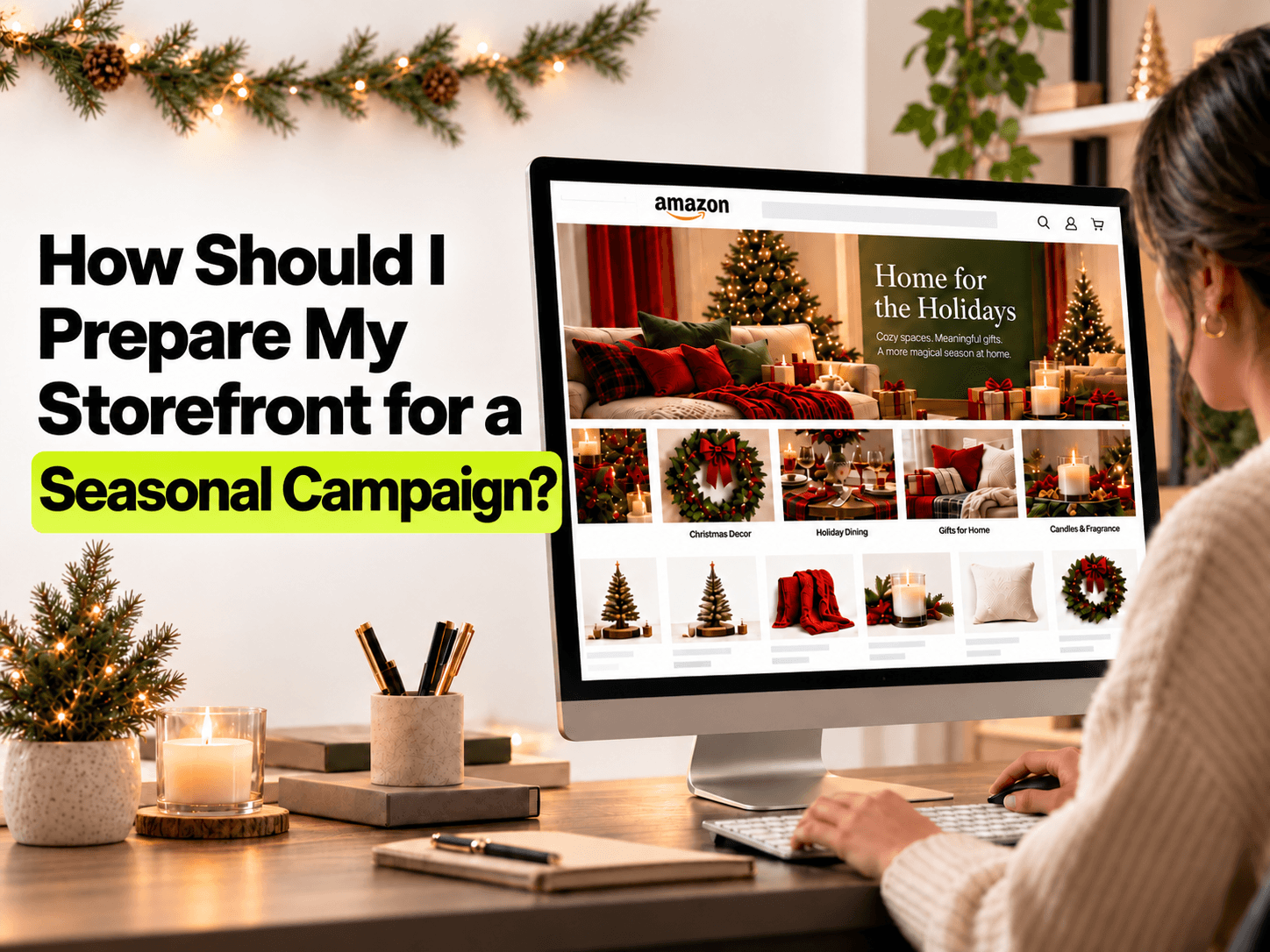
A seasonal amazon storefront is a second version of a page you already have: same route, different front door. Build it four to six weeks out, theme the header plus one deals or gift page, design for the phone first, keep every headline policy safe, and schedule both the go live and the revert.
The upside is documented. Amazon Ads found that new-to-brand shoppers who visited a Brand Store were 62.7% more likely to purchase and spent 72.3% more per order. Sponsored Brands ads landing on a Brand Store carried 28% higher ROAS in H2 2024 than other pages.
The short answer, in six steps
- Name the audience: gift buyer, deal hunter, or launch buyer.
- Pick hero SKUs with enough stock to last the full window.
- Build one mobile header and banner, plus the single page the campaign needs.
- Run every headline through Amazon's Store policy rules.
- Schedule the go live date and the revert date.
- Aim Sponsored Brands traffic at the seasonal page, then read the numbers two weeks in.
What should a seasonal amazon storefront actually do?
Three shapes work, and the wrong one wastes the build. A gifting Store answers "what do I buy for my sister who lifts?" A deals page answers "what is cheap today?" A launch page answers "what is new?" Blend all three and the buyer sees a catalog again.
Assign the job before anyone opens a design tool. Reading a category before you design for it is the step most teams skip. Pull last season's Brand Store report instead: which three ASINs carried the traffic, and which drew reviews about sizing or breakage? Then check inventory against the length of the campaign.
Picture a pet brand heading into Q4. The dog chew outsells everything, so it takes the hero tile. That chew also holds the most "arrived cracked" reviews, and the page now pushes it at every new visitor. The second-best seller with a cleaner review profile was the braver pick.
When to start: a working back timeline
Shoppers do not wait for your calendar. Mintel data cited by Amazon Ads shows 14% of shoppers start holiday shopping as early as summer, 42% expect to buy before Thanksgiving, and 31% shop between Cyber Monday and New Year's. Separate CivicScience research found 16% of US consumers had begun gift shopping by June 2024.
That splits the build in two. Early birds need the gift guide live while it is still warm out. The Thanksgiving crowd needs the deals layer ready the week before.
- T minus 6 weeks: pick the shape, the hero SKUs, and the one page the campaign needs.
- T minus 5 weeks: design the mobile header, banner, and gift tiles.
- T minus 4 weeks: policy check, then submit, since Store moderation review can take up to 24 hours.
- T minus 1 week: schedule the version switch and confirm the revert date.
- T plus 1 week: read Store insights and decide what stays.
Build the seasonal layer without changing the Store
Treating a seasonal amazon storefront as a redesign is the most common failure. Amazon lets you schedule which version goes live and when it reverts, so build a second version that changes the top of the page and leaves the deep pages alone.
Deals page options. Amazon may insert an automatic All Deals page during an event, and premium theme Stores are excluded from it. A Featured Deals page you build yourself puts you in control of order and inclusion. A best sellers row is a fine fallback.
Hide out of stock items. A hero tile that leads to a dead listing kills the page. Clear out of stock products before the switch and decide what replaces a hero that sells out.
Amazon Ads found that Brands updated within the past 90 days drew 9% more repeat visitors and 10% higher attributed sales per visitor. A seasonal build is a good reason to hit that rhythm, not break it.
Design the phone version first
Most Amazon shoppers arrive on a phone. Lay out the seasonal amazon storefront at 4 inches wide before anyone opens a desktop mockup.
- A header image that reads at a glance, with the product large enough to recognize at thumbnail size.
- Navigation tiles near the top, not three screens below the banner.
- One call to action above the fold, phrased the way a shopper would say it out loud.
Read the copy at phone width too. A headline needing two lines of small text is not a headline. Stores work as a route through products rather than a gallery of images, and a phone punishes decoration.
Policy rules that get a seasonal Store rejected
Two rules catch more brands than any design choice. Amazon advises against naming Amazon events inside a Store and against stating numerical discounts there. A header reading "Black Friday, 40% off" is the fastest route to a rejection.
Describe the offer, not the event, and let the product page carry the price. Feature only products with an active promotion in header and category tiles.
A seasonal Store is a door, not a banner. When the deal ends and the door still says deal, you taught a first-time visitor to distrust the next one.
Schedule the switch, then plan the revert
Schedule both ends. Amazon lets you set which Store version goes live and when it reverts, and the revert date matters more than the launch date. Amazon also suggests refreshing a Store every 90 days or fewer.
Put the revert in a named person's calendar. Ours goes in as a task with an owner, never a line in a shared doc. A seasonal amazon storefront that outlives its season is the most common Store problem we get asked to fix.
Send traffic, then read what it did
A seasonal page with no traffic is a poster. Sponsored Brands and SB video are the natural way in. Amazon's own numbers favor a Store landing: ads that land on a Brand Store carried 28% higher ROAS in H2 2024 than ads landing elsewhere.
The message has to match. If the ad says "stocking stuffers under $25" and the Store opens on a gift guide sorted by recipient, the shopper hunts for what they clicked. Matching the ad line to the first tile is the whole test, and Store insights will tell you in two weeks whether add-to-cart moved.
Posts compound with the Store itself. Amazon reported that brands with 10 or more live Posts averaged 2.9x more Brand Store visits and 4.1x more followers.
What we would check first
- Open the Store on your phone and count the taps from homepage to your best seller. Past three is friction.
- Find the last update date. Older than 90 days means your seasonal build starts from a stale base.
- Tap every hero tile and confirm it lands on an in-stock listing priced like the banner.
Summary: seasonal amazon storefront at a glance
| Area | What to do | When | How to check it worked |
|---|---|---|---|
| Timeline | Build the seasonal version and submit early | T minus 4 to 6 weeks | Version is live before traffic starts |
| Header and theme | Around three products, mobile-sized image | T minus 5 weeks | Product reads at thumbnail size |
| Deals or gift page | Featured Deals or gift subpages, best sellers fallback | T minus 4 weeks | Every tile leads to an in-stock listing |
| Inventory | In-stock heroes only, hide out of stock | T minus 1 week | No dead tiles during the window |
| Policy | No event names, no numerical discounts | Before submission | Approved without a rejection round |
| Traffic | SB and SB video aimed at the seasonal page | T minus 1 to T plus 1 | Compare ROAS and CVR against product pages |
| Revert and learn | Scheduled revert, debrief, refresh inside 90 days | T plus 1 week | Store back to base, next build starts earlier |
Frequently Asked Questions
How far in advance should I update my Amazon Storefront for the holidays?
Six weeks out is comfortable, four weeks is the floor. Moderation review can take up to 24 hours, and you want room to fix a rejection without missing your traffic window.
Can I mention Prime Day or Black Friday on my Amazon Brand Store?
Amazon advises against naming Amazon events in Stores and against stating numerical discounts. Describe the offer instead, and let the product detail page carry the price.
How do I schedule my Amazon Store to change for a sale and switch back automatically?
Use the Store scheduling tools to set which version goes live and when it reverts. Set both dates in the same sitting. The revert is the one brands forget.
Do I need a separate deals page on my Amazon Storefront?
Not always. Amazon may add an automatic All Deals page during an event, and premium theme Stores are excluded from it. A Featured Deals page you build gives you control over order and inclusion, and a best sellers row works as a fallback.
Is it worth sending Sponsored Brands ads to my Store instead of a product page during a sale?
Amazon's data shows Sponsored Brands ads landing on a Brand Store carried 28% higher ROAS in H2 2024 than other landing pages. The page still has to earn that. If the Store and the ad line say different things, the product page is the safer landing.
Try this today
- Open your Store on your phone and count the taps to your hero product. Write the number down, then check it again after the seasonal version goes live.
- Read how to pull the buyer doubt your listing skips out of your own reviews, then use the same method to pick the page your seasonal build should answer first.
- Send us your Store URL at WorkinX Digital and we will map the route a shopper takes from ad to Store to listing, then show you where the story breaks before the campaign goes live.
Sources
- Amazon Ads, Brand Stores, 2024.
- Amazon Ads, Key events: Store prep, 2025.
- Amazon Ads, Reduce friction to purchase on your Store, 2024.
- Amazon Ads, Stores best practices, 2022.
- Amazon Ads, Holiday shopping trends, 2025.
- Amazon, 7 tips to promote your brand this holiday season, 2024.
- EMARKETER, Key stats on holiday retail 2024, 2024.